· 13 min read
ContextEffects, what it hit and how hard
Grown out of Lyra's context effects, it picks the right sound and particles for each hit and footstep.
- Engine
- Unreal Engine 6, C++
- Started from
- Epic's Lyra sample
- Targets
- PC VR and Quest-class headsets
- Engine changes
- None
What came from Lyra
ContextEffects started as the system of the same name in Epic’s Lyra sample, and Lyra gave me its model. An animation notify fires an effect tag such as a footstep, the character adds context tags such as the surface under the foot, and a world subsystem looks up matching rows in library assets. A row plays when its effect tag matches the event exactly and the event carries all of the row’s context tags.
I kept that model and changed most of what surrounds it, because a VR game has to run on standalone headsets as well as PC.
| Lyra | ContextEffects |
|---|---|
| Loads sounds and systems synchronously | Loads them asynchronously |
| Spawns an unpooled Niagara component per effect | Writes a record to a Niagara Data Channel, with pooled spawns for special cases |
| Attaches effects to the character | Places them in the world or attaches them |
| Plays everything that matches | Runs every effect through a budget |
| Fires from animation notifies | Also fires from physics contacts, moving parts, Blueprint and C++ |
| Lives in the game module | Ships as a standalone plugin with six modules |
Matching changed in two places. A row with no context tags is now a fallback that plays only when no tagged row for that event matched in the same library. And when an event’s own rows play nothing, its parent event gets a turn, then the grandparent, so one set of rows on Footstep serves Walk, Run, Crouch, Jump and Land.
void UContextEffectsLibrary::GetMatchingEntries(...) const
{
	// The event's own entries first. Only when they play nothing do its parent's get a turn, then the grandparent's,
	// so a row on Footstep plays for every footstep event without one of its own.
	const int32 NumBefore = OutEntries.Num();
	AddLevelMatches(Entries, EffectTag, Context, OutEntries);
	if (OutEntries.Num() > NumBefore)
	{
		return;
	}
	const FGameplayTag EventRoot = GetEventRoot();
	for (FGameplayTag Level = EffectTag.RequestDirectParent(); Level.IsValid() && Level != EventRoot; Level = Level.RequestDirectParent())
	{
		AddLevelMatches(Entries, Level, Context, OutEntries);
		if (OutEntries.Num() > NumBefore)
		{
			return;
		}
	}
}
The walk stops below the root of all events, so a roll never borrows an impact’s rows. Every source then goes through one function in the subsystem, and everything after it is shared.
- Sources Animation notifies, physics props, moving parts, Blueprint and C++ calls
- Subsystem Reads the surface from the physical material and matches library rows
- Budget Admits sounds on the spot and resolves particle effects once a frame
- Delivery MetaSounds, Niagara Data Channel records and pooled special-case systems
Particles as records
Each particle effect becomes a record of about 68 bytes in a Niagara Data Channel, and one shared system draws them all, so a hundred footsteps cost one system instead of a hundred. The Islands handler that spawns that system doesn’t cull yet, and the engine source has a TODO for it, which is why the subsystem culls by distance before it writes.
Physics props
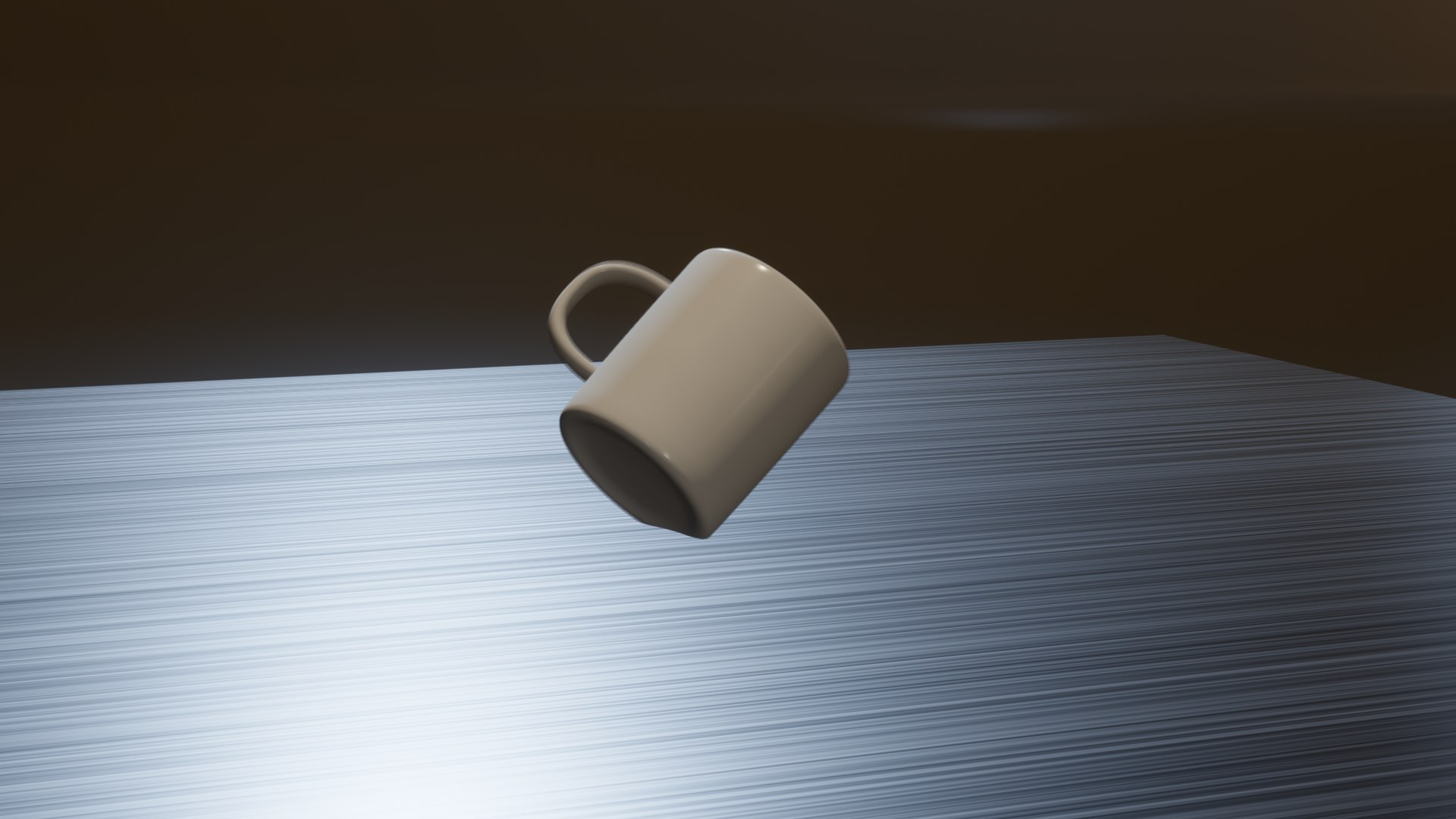
Physics props get their own component and profile. These are the five drops from the clip, all the same mug with the same profile, so only the floor and the motion change.
- Tile, dropped
- Carpet, dropped
- Steel, dropped spinning
- Concrete, pushed
- Wood, thrown
An impact’s strength is its change in velocity, the impulse divided by the prop’s mass. That number doesn’t depend on mass, so one profile covers a whole family of props. The profile maps 50 to 600 cm/s onto an intensity and squares it, which makes weak contacts fall away fast. Halfway up that range an impact plays 12 dB under full, against 6 dB for a linear map. The left half of the chart shows both curves.
The floor’s side of an impact gets the hard tag when the prop’s material has a hardness of at least 0.5 and its velocity changed by 300 cm/s or more. Rows opt in by adding that tag, so a crate on carpet can play a heavier thud than a cushion does. A prop can also play a quieter layer from its own surface. That layer takes its tag from the floor’s hardness, and its MetaSound reads the same number through an input called OtherHardness. The mug’s graph uses it to dull and damp the hit, so on carpet even the mug’s own layer sounds soft.
A held prop hits the table on every physics step
Unreal reports a held prop pressed onto a table as a new hit on every physics step. Hits on the same component inside the cooldown count as one ongoing contact, and only its first hit plays, or a later one 1.5 times stronger than any so far.
Rolling and sliding
The engine has no rolling or sliding detection, so the component works it out about 20 times a second. It compares the body’s speed along the ground with the speed of the point touching the ground. A rolling ball’s contact point barely moves, and a sliding mug’s moves with the mug. In the code, look at how each bound loosens once a loop is playing, and at the friction scale on a slide.
if (Sample.bHasContact)
{
	// Speed and intensity both gate the loop, and both use looser bounds to stay in the
	// state than to enter it, so a loop at the audible boundary does not flicker.
	const bool bInLoop = CurrentState != EContextEffectMotionState::None;
	const float EnterSpeed = bInLoop ? Profile.ExitSurfaceSpeed : Profile.MinSurfaceSpeed;
	const float MinIntensity = bInLoop ? Profile.LoopSustainIntensity : Profile.LoopStartIntensity;
	if (Sample.SurfaceSpeed < EnterSpeed)
	{
		return EContextEffectMotionState::None;
	}
	const float SlipRatio = Sample.SlipSpeed / FMath::Max(Sample.SurfaceSpeed, 1.0f);
	const bool bSliding = SlipRatio > Profile.SlipRatioThreshold;
	// Scale slide loudness by friction, so a slide on ice stays silent.
	const float LoudnessSpeed = bSliding ? Sample.SurfaceSpeed * Sample.SlideFrictionScale : Sample.SurfaceSpeed;
	if (ComputeIntensity(Profile, LoudnessSpeed, Profile.LoopSpeedForMaxIntensity) < MinIntensity)
	{
		return EContextEffectMotionState::None;
	}
	return bSliding ? EContextEffectMotionState::Sliding : EContextEffectMotionState::Rolling;
}
Since early October a slide’s loudness scales with the pair’s friction from Chaos, divided by 0.4, so concrete scrapes loudly and ice stays nearly silent. The mug’s slide on concrete in the clip is this loop. When two materials use different combine modes the higher mode wins, so ice only stays quiet if its material uses Min. On Average, a prop at 0.6 on ice at 0.02 comes out at 0.31.
The component’s tick turns off while the body sleeps, so a room of resting props costs nothing.
Falling
A whoosh follows a prop’s total speed, so a thrown prop whooshes as well as a falling one. It starts at 400 cm/s and stops below 250, and its level rises with the cube of speed, 18 dB per doubling, up to full at 1,200 cm/s. A prop falling from rest only passes 400 cm/s after about 80 cm, which is why the short drops in the clip land without one. Contact ends a whoosh on the same frame, before the impact plays.
Impacts used to play from inside the floor
A sound used to start at the contact point. In my test level, a dropped book’s impacts played from up to 1.2 cm under the floor, and my acoustic occlusion plugin treated them like any sound behind a slab. They came out 15 to 20 dB quieter, in the outside reverb instead of the hall’s. Every sound now starts 5 cm out along the contact normal.
Sounds
The plugin talks to its MetaSounds through four small parameter interfaces, one concern each, the way Epic splits its own UE.Source and UE.Attenuation interfaces.
| Interface | Inputs | What they carry |
|---|---|---|
| Event | Intensity, Speed | How hard and how fast. An impact sends its velocity change as Speed, because the solver has already bounced the body by the time its velocity can be read. |
| Surface | Surface, OtherSurface, SurfaceName | Both sides of the contact |
| Contact | OtherHardness | How hard the other side is, or 1 when there is no other side |
| Loop | Stop | The trigger that ends a loop |
I use a small base MetaSound for each kind of sound and a preset of it per surface. The loop base maps Speed from 0 to 400 cm/s onto a pitch shift from two semitones down to three up and a low pass that opens from about 600 Hz to 12 kHz. Of everything in that graph, the filter did the most for how a scrape sounds. A random start point and a quarter-semitone offset keep two copies of one wave from phasing.
An interface update that hung the editor
When version 1.2 of my interface replaced 1.1, the editor hung as soon as anything loaded a MetaSound saved against 1.1. To upgrade an asset, the builder removes the old version’s members by looking up the interface’s other registered versions. Version 1.1 wasn’t registered any more, so the versioning loop never finished. Epic keeps old versions of its own output-format interfaces registered. Now 1.1 stays registered next to 1.2.
A week later I split that interface into the four above. The old one stays registered, and an upgrade moved five template MetaSounds and six presets across with every input still wired and every override intact.
Moving parts
Contacts aren’t the only source. A second component plays sounds from how something moves, such as a physics door as it swings or a bobble head when you shake it. Valve’s Source SDK 2013 plays hinge and slide sounds from physics constraints, and from it I took velocities read from the solver, sleep gating and a direction axis.
The component never ticks. One world subsystem updates every track in a single pass, and a sleeping body costs nothing, as does one more than 20 m from the listener. A rattle fires on a jolt, the change in velocity across a fixed 50 ms window. The subsystem keeps 12 samples at least 5 ms apart so the window always reaches back 50 ms, whatever the frame rate. This is a bobble head’s whole track.
| Setting | Value |
|---|---|
| Bone | head |
| Motion | Angular, in the parent’s frame |
| Fires on | A jolt, with no loop |
| Jolt threshold | 700°/s |
| Cooldown | 0.2 s, jittered by up to 20% |
Once a jolt fires, the track doesn’t re-arm until the jolt falls below half the threshold, so one long knock plays one rattle instead of a burst. The rattle has no random delay in front of it, because in VR you see the head move.
The budget
A standalone headset can’t play everything physics asks for. The default profile allows 8 new sounds and 24 particle effects a frame. Sounds are admitted or refused on the spot with cheap counters, and particle effects are staged and resolved together once a frame.
An event past its category’s viewer distance, 60 m by default, is dropped when it’s staged. Everything else waits for the frame’s resolve, trimmed here to the sort and its two passes. The clamp at the end of the second pass is where the global and dynamic intensity scales come in.
// Sort by priority, then nearest first within a priority. Critical has the lowest enum value.
Staged.StableSort(...);

// First pass. Merge events of one category that land inside the dedup radius this frame.
// Intensities add up so a pile of small hits reads as one strong hit instead of many weak
// ones, speed keeps the fastest contributor, and the position follows the strongest one.
...
Kept.Params.Intensity = FMath::Min(Kept.Params.Intensity + Other.Params.Intensity, 1.0f);
Kept.Params.RawSpeed = FMath::Max(Kept.Params.RawSpeed, Other.Params.RawSpeed);
Other.bMergedAway = true;
...

// Second pass. Apply caps to the survivors and commit them.
for (FContextEffectsPendingVFX& Item : Staged)
{
	...
	if (State.FrameVFXCount >= Budget.MaxEventsPerFrame)
	{
		OnDrop(Item, EContextEffectDropReason::OverCategoryCap);
		++AccumulatingStats.Dropped;
		continue;
	}

	if (Budget.bDowngradeBeforeDrop && State.FrameVFXCount >= Budget.SoftCap)
	{
		Item.Params.Intensity *= Budget.DowngradeIntensityScale;
		Item.bDowngraded = true;
		++AccumulatingStats.Downgraded;
	}
	...
	Item.Params.Intensity = FMath::Clamp(Item.Params.Intensity * IntensityScale, 0.0f, 1.0f);
	...
	Commit(Item);
}
Merged intensities add up and clamp at 1, so twenty debris hits in a corner become one strong record and the pile still reads as a pile. Critical events, such as the player’s hand hitting a wall in front of the camera, skip culling and merging and ignore every cap except a safety ceiling of 64 a frame. Sounds have their own caps, and a landing mutes the same actor’s footsteps for 0.4 seconds so the two never stack.
All of it is data. Each platform picks a base profile through the usual ini files, and game code can push a state such as Reduced for a heavy scene. The plugin code never names a platform.
On top of that, a dynamic scale follows Unreal’s own FX budget. Usage from 0.5 to 1.5 maps to a scale from 1 down to 0.25, approached with a 0.5 second attack and a 2.5 second release so effects don’t pump when load hovers near a threshold. At the bottom, 24 particle effects a frame become 6 and the cull distance halves. Sound caps never scale. The chart runs a made-up load through that code. Between 7 and 11 seconds the target jumps every half second, and the scale moves far less.
Every number here is a default. A benchmark on the lowest-end headset will set the final caps, and I haven’t recorded its results yet, so this piece quotes no timings.
Why a sound stayed silent
An effect that plays nothing gives you nothing to go on. Every emit now leaves a resolve record, misses included, and a miss names its closest row and the tag it lacked. ContextEffects.Debug 1 draws the budget HUD over the game, and level 2 adds a label and a sphere at every event in the level.
A record that says a sound was sent still doesn’t prove anyone heard it, so the Rewind Debugger gets a Context Effects track. It joins each record to the engine’s own audio trace by the audio component’s play order. A sound is judged once it stops, because peaks only rise, and anything at or under -60 dB counts as silence.
| Verdict | What happened | Shown as |
|---|---|---|
| Never got a voice | Concurrency, the voice limit or virtualization stopped it | Orange, like a budget drop |
| Volume 0 | Its peak volume stayed at or under -60 dB | Red |
| Rendered silence | Its peak level stayed at or under -60 dB, so the graph played nothing, or played it at nothing | Red |
| Inaudible at the listener | Distance and occlusion took it under -60 dB where the listener stood | A warning |
MetaSounds are why the level check matters. The engine range-checks only sounds of a second or less, and a MetaSound reports an endless duration, so it always spawns and simply plays silence out of range. The verdict lands in the record’s label, as in MSS_Book [silent: rendered silence], and each delivery in the track lists the inputs its sound received above it.
The editor I threw away
Lyra’s libraries are data assets in one long details panel. A walk event on 12 surfaces meant 12 entries with the event tag copied into each, and a wrong context failed without a word.
My first replacement was a grid, and I rejected it. Its rows came from the tag tree instead of the library, so an empty library showed 12 red rows, and a cell could say “silent” in red while the Issues tab found nothing wrong. The rebuild is a rules table in the style of Unreal’s Chooser. I passed on Chooser itself as the back end, since the same 12 surfaces at three weights would still take 36 rows there.
The toolbar borrows Chooser’s Debug Target menu. Pick Manual Testing and set tags by hand, or pick any actor that fired an event the library answered. Context cells turn green or red against the target, and rows that play are marked. The verdict column’s tooltip gives the reason, such as “Plays” or “Needs Surface.Wood”. Those verdicts come from an ExplainMatch function that gets what plays from GetMatchingEntries, the same call the game makes, so the editor and the game always agree.
Next
The benchmark on the lowest-end headset comes next. I also haven’t tried the rattle in VR with my own hand on the bobble head. After that come events for constraints that break, motion profiles for chains, garment bags and bodies, and a whoosh for held objects.
The clip ends on the five pads side by side, each mug where it came to rest. Nothing in that room was told when to make a sound.