· 20 min read
An Endfield-style toon renderer for Unreal Engine 6
I extended Unreal's Substrate toon path with SDF face shadows and eyes drawn over the bangs.
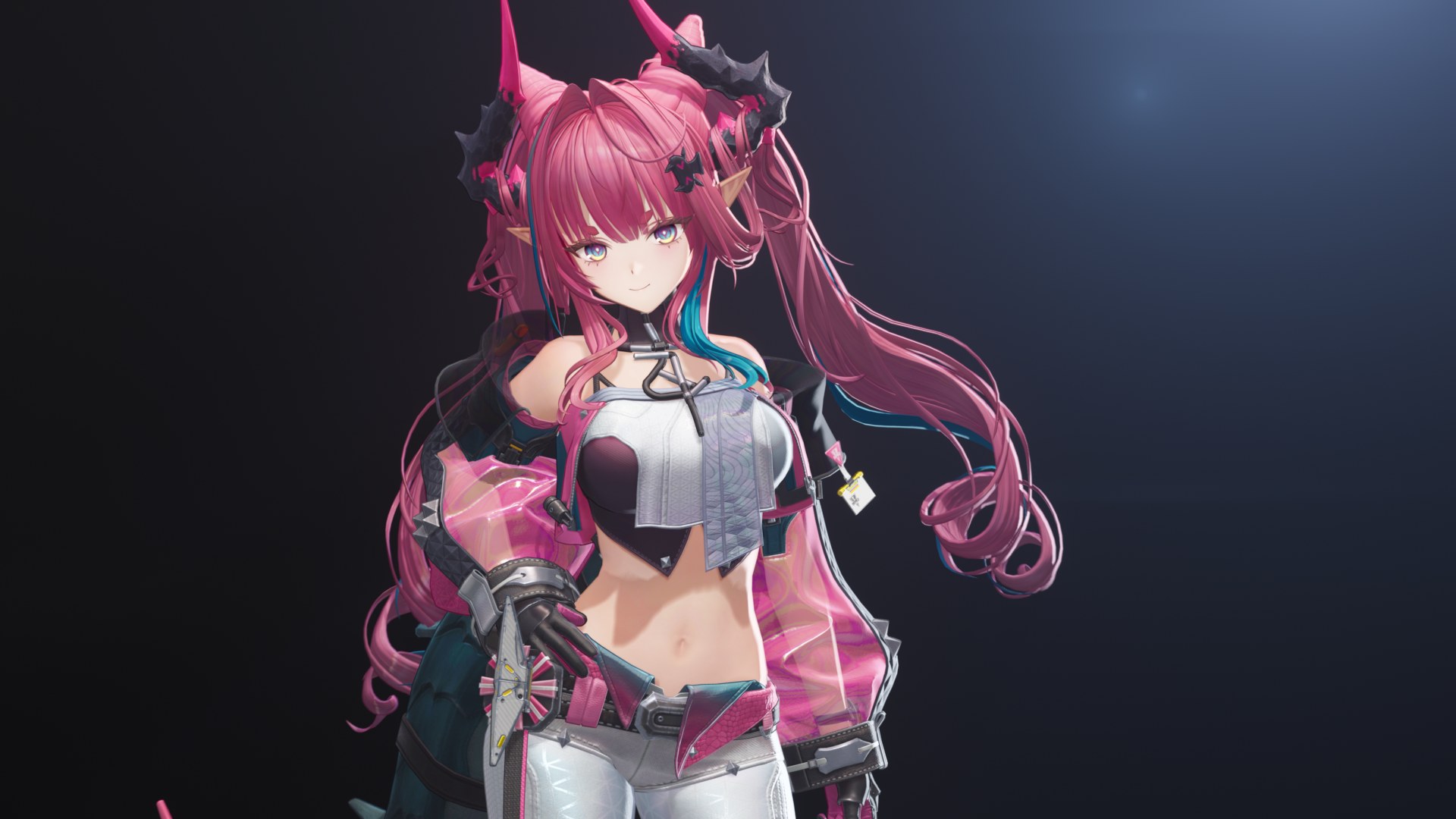
Fan work
This is an unofficial, non-commercial fan tech demo. The characters, their models, textures and animations belong to Hypergryph and GRYPHLINE (Arknights: Endfield), and I’m not affiliated with or endorsed by either of them. The shading code, engine changes, materials, lighting and scenes in this article are mine.
- Engine
- Unreal Engine 6, source build
- Rendering
- Substrate, forward shading, 4x MSAA
- Platforms
- PC VR, plus the Android Vulkan preview for Quest
- Languages
- C++, HLSL
What stock Unreal already does
Epic’s Substrate Toon BSDF is a good base, and I kept all of it. Each light runs half-Lambert N·L through a colour ramp, the specular is GGX through its own ramp (with an anisotropic option), and dithering or hatching can break up the bands. A Toon Profile asset holds the ramps, and the engine packs every profile into one atlas texture.
That covers a toon prop. A toon character needs more, and the stock path doesn’t cover any of this:
| The character needs | Stock Substrate Toon | What I added |
|---|---|---|
| A face shadow that keeps its painted shape | N·L on the face mesh | SDF face maps driven by the head bone |
| Hair with strand highlights | One ramped GGX lobe | Two Kajiya-Kay lobes and a spec ramp |
| Eyes and brows visible through the bangs | Depth test only | Per-material stencil values and tests |
| A thin rim on the silhouette | Nothing built in | A rim from custom depth |
| Lights that treat characters differently | Every light shades every surface alike | Six toon light types |
| Ink lines | Nothing built in | Inverted-hull outlines with baked normals |
| A floor that takes her shadow cleanly | An ordinary lit floor | A shadow receiver surface |
| Reflections per character | The scene’s captures | A cubemap from the post process volume |
Why I didn’t touch the Toon BSDF
My first plan was to grow the Toon BSDF node itself. I dropped it after reading what that meant. The node runs through the legacy material translator, the new MIR translator and Substrate’s BSDF tree, so every new input lands in three places. Worse, the pixel shader had room for about 9 more floats of material data, and the character data I needed was closer to 30.
Unreal already has a way out of that budget. Single Layer Water and Bent Normal don’t squeeze through the BSDF either. They’re custom output nodes, material expressions whose inputs compile into functions the lighting code can call directly. I built five of them, Toon Character, Toon Face, Toon Hair, Toon Eye and Toon Clear Coat, and taught Substrate’s forward lighting to use them.
- Material graph Toon Character, Face, Hair, Eye or Clear Coat output node
- Custom outputs Compile into GetToonCharacterOutputN() calls
- Character path Forward lighting picks it up in place of stock env diffuse and the directional light
- Surface branch Cloth, skin, hair, eye or shadow receiver
- Ramps and lights Profile ramps, the key light, toon local lights
The path lives in a new shader file, ToonCharacterShading.ush, called from Substrate’s PC and mobile forward lighting. It replaces the stock environment diffuse and directional light for character pixels and leaves everything else alone. Materials without the nodes compile it out, and the deferred path and FSubstrateBSDF are untouched. A surface type picks the branch, and I kept it to five: cloth, skin, hair, eye and shadow receiver.
// What the material feeds the path through its Toon Character, Toon Face, Toon Hair, Toon Eye and Toon Clear Coat nodes.
struct FToonCharacterMaterial
{
	float3	ShadowColor;		// Negative means unconnected: the base colour is used.
	float	Occlusion;
	float3	LitAdd;
	float3	AmbientNormal;		// Zero means unconnected: the shading normal is used.
	float	SpecularRampFacing;
	float	SpecularScale;
	float	Outline;
	uint	Surface;			// TOON_CHARACTER_SURFACE_*
	...
};
The Toon Profile grew two textures. A diffuse ramp keeps a lit mask in its alpha, and a 2D specular ramp colours the hair lobes. That lit mask produced my favourite bug. A ramp curve with no alpha keys evaluates to an alpha of 1, so every pixel of the character came out lit.
Another bug was worse. Custom outputs are numbered, and a cached material translation has no idea the engine’s set of nodes changed. Change the node set and old cached translations call output functions that no longer exist, so shaders failed with undeclared identifier 'GetToonCharacterOutput14' on materials nobody had touched. A version constant in the node’s translation key fixed it, and I bump it whenever the outputs change.
Lighting from the post process volume
Artists light a scene, and a character in that scene has to look right without a second rig for every shot. So the global controls live where the rest of the look lives, in a new Toon Character section of the post process volume. Unreal blends volumes as the camera moves, and the renderer packs the result into 16 float4s on the view uniform buffer, View.ToonCharacterParams, which every character pixel reads.
The key light is the biggest of them. Main Light Mode takes the scene’s directional light, a custom direction, or Camera Follow, which turns the key with the camera so a character keeps a flattering light from any angle. Range Bias is added to N·L before the diffuse ramp, so it grows or shrinks the lit side everywhere at once. Shadow Albedo Multiplier (0.7 by default) and the tint modes set the colour of the shadow side. Auto Rim puts a rim along the silhouette on a side you choose, and Face Rim gives the face its own. Ambient comes in as one hue and one intensity for the whole character, from the volumetric lightmap or from the volume, and an optional gradient brightens it toward one direction.
Face shadows
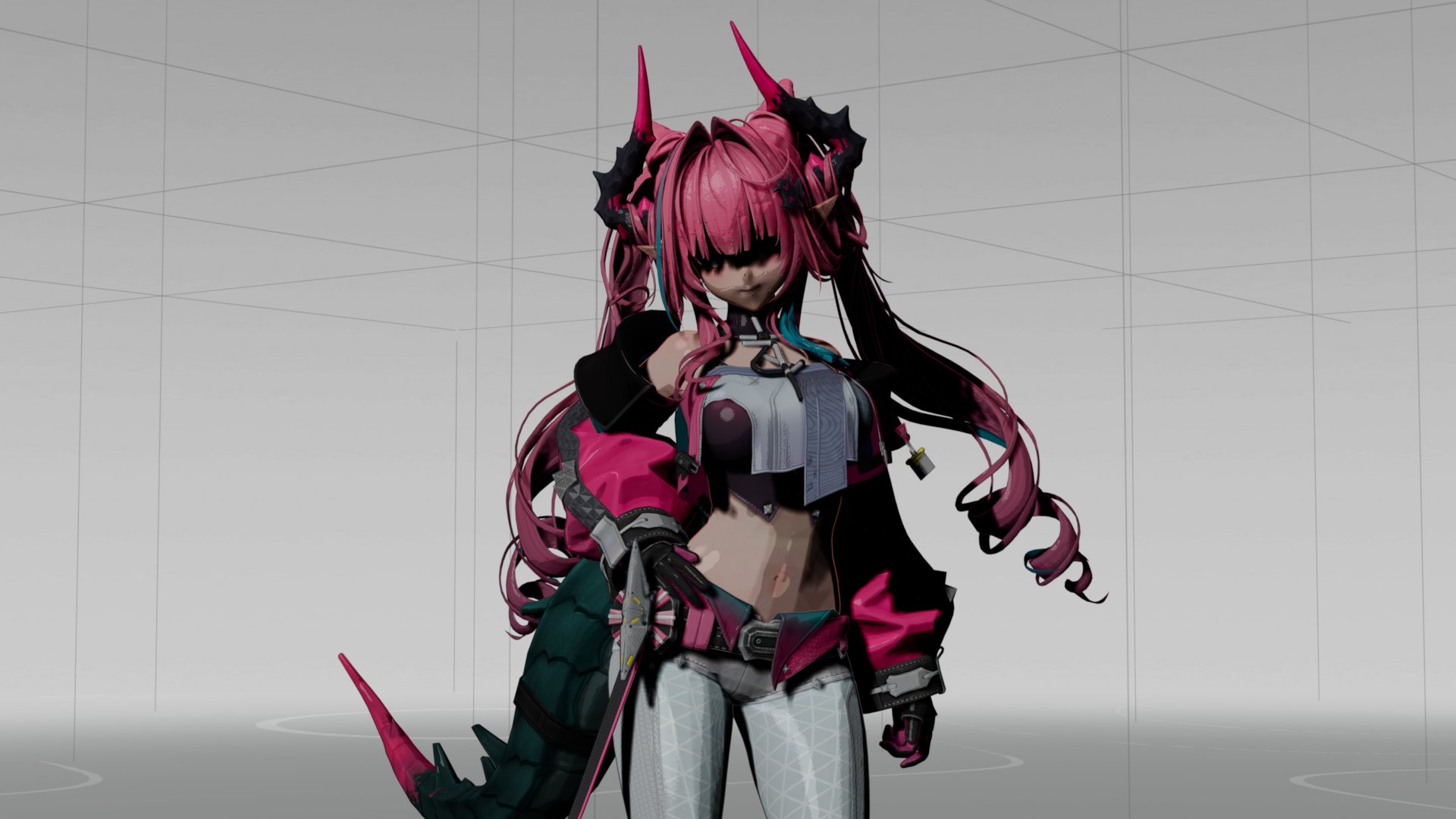
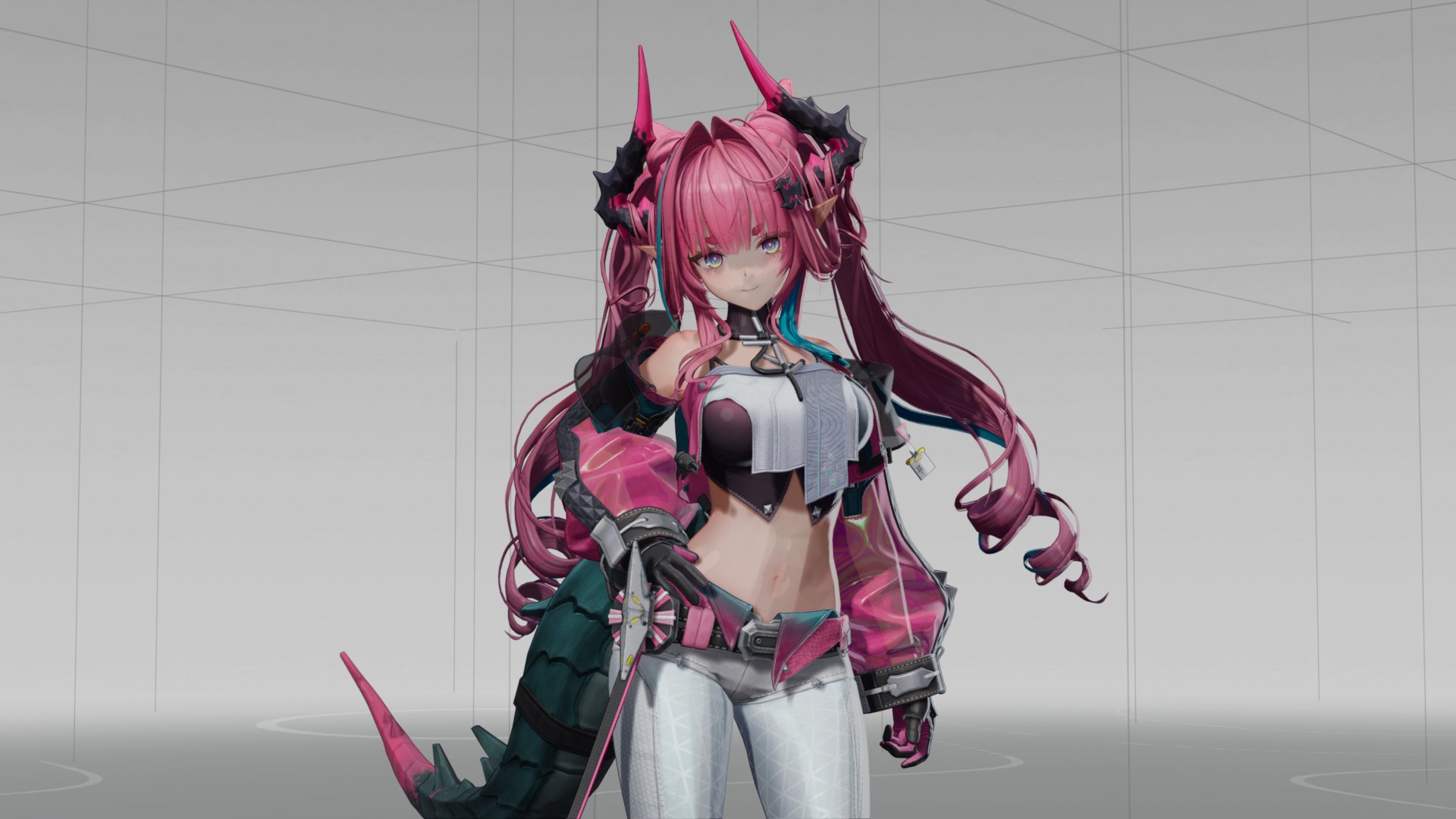
A face lit by N·L is a disaster in this style. The nose casts a smudge, the cheeks band, and the shadow shape changes with every blend shape. Anime faces use a painted shadow instead, and the standard trick is an SDF threshold map, a grayscale texture in the face’s UVs where each value says at which light angle that pixel falls into shadow. Sweep the threshold and the shadow line slides across the face along a path an artist drew.
The threshold needs the light’s direction relative to the head, and a skinned mesh doesn’t hand that to its material. So a small component reads the head bone every tick, turns the mesh’s own facing into world-space right and forward axes, and writes them, plus the head’s position, into nine custom primitive data slots. It ticks in the editor too, so placed characters preview correctly.
const FAxes Axes = GetHeadAxes(RefSkeleton, BoneIndex, Head.GetRotation(), MeshForward);
TargetMesh->SetCustomPrimitiveDataVector3(CustomDataIndex, Axes.Right);
TargetMesh->SetCustomPrimitiveDataVector3(CustomDataIndex + 3, Axes.Forward);
TargetMesh->SetCustomPrimitiveDataVector3(CustomDataIndex + 6, Head.GetLocation());
In the shader, the light is projected into the head’s horizontal plane. Its side picks the map or its mirror, and its forwardness picks the threshold.
// The face SDF replaces N.L: the light's side and forwardness in the head's horizontal plane pick a threshold.
const float2 FaceL = float2(dot(L, M.HeadRight), dot(L, M.HeadForward));
const float2 FaceLh = FaceL * rsqrt(max(dot(FaceL, FaceL), 1.0e-8f));
const bool bLightOnRight = FaceLh.x > 0.0f;
const float SDF = bLightOnRight ? M.SDF : M.SDFMirrored;
...
const float Threshold = clamp(0.5f - T, 0.001f, 0.999f);
const float S = smoothstep(max(2.0f * Threshold - 1.0f, 0.0f), min(2.0f * Threshold, 1.0f), SDF);
RampU = lerp(S + max(T, 0.0f), 0.5f * clamp(NoL + RampBias, -1.0f, 1.0f) + 0.5f, M.NormalWeight);
The face also ignores the shadow map’s self-shadow, which would otherwise draw its own shapes over the painted one. The self-shadow comes back only as the camera turns away from the face, where a profile view needs it. The rim light borrows the SDF too. Its normal leans toward the side the map paints, so the face rim and the face shadow agree.
Hair
Hair gets two Kajiya-Kay strand lobes, the classic highlight built from the strand’s tangent instead of the surface normal, sin(T, H) raised to a power. The primary lobe goes through the profile’s 2D specular ramp, which colours it and switches to the ramp’s upper rows on the front half of the highlight. The half vector is locked to the camera, so the highlight band sits where an illustrator would draw it and doesn’t slide around as the light moves.
- Strand highlights from the two Kajiya-Kay lobes
- Rim from custom depth along the silhouette
A lobe raised to the 200th power can be narrower than a pixel, and in VR that means sparkle. Instead of supersampling it, I treat it as a Gaussian. sin^n of the angle is close to a Gaussian in cos(T, H) with a variance of 1/n, and the pixel’s footprint is a second Gaussian. Blurring one Gaussian by another adds their variances, so I add a quarter of the pixel’s width squared to the lobe’s variance and lower the peak to keep the lobe’s area.
// sin(angle between a strand tangent and the half vector) raised to Exponent: Kajiya-Kay's strand highlight.
float ToonCharacterStrandLobe(float CosTH, float Exponent)
{
	return pow(max(sqrt(saturate(1.0f - CosTH * CosTH)), 1.0e-4f), Exponent);
}

// The lobe for a pixel across which CosTH changes by Width.
float ToonCharacterStrandLobe(float CosTH, float Exponent, float Width)
{
	const float Scale = rcp(1.0f + 0.25f * Exponent * Width * Width);
	return ToonCharacterStrandLobe(CosTH, Exponent * Scale) * sqrt(Scale);
}
One hair bug came down to a sign. Strand tangents on mirrored UV islands point the wrong way, and I first negated the tangent to fix it. That was a guess, and a wrong one, because Unreal’s tangent already matches once V is flipped. The fix is a Custom node that returns Parameters.UnMirrored.
A rim from depth
The thin bright line on a toon silhouette usually comes from N·V, and on hair N·V lies. Strands curl, the normal faces the camera at the edge of a clump, and the rim lights inner creases and misses the real outline. What I wanted was a test against the scene. Is there something far behind this pixel a few pixels outward?
The base pass can’t read the depth buffer it’s drawing into, and on Quest there’s no prepass to read from either. Custom depth is the answer. Characters opt into it, outline hulls stay out of it, and the PC opaque base pass gained a binding for it. Each hair pixel steps outward along its view-space normal and checks how far behind the custom depth there is.
// 1 where custom depth at Pixel lies 10 to 20 cm or more behind this pixel. Empty custom depth counts as far behind.
float ToonCharacterDepthEdgeAt(FToonCharacterMaterial M, int2 Pixel)
{
	const float DeviceZ = ToonCharacterCustomDeviceZ(Pixel, M.ViewId);
	return DeviceZ > 0.0f ? smoothstep(10.0f, 20.0f, ConvertFromDeviceZ(DeviceZ) - M.SvPosition.w) : 1.0f;
}
The step is a fraction of the view’s height, and with edge antialiasing on it samples the four pixels around the step’s end and blends them, so the band’s inner edge slides smoothly instead of jumping a pixel at a time.
Eyes over the bangs
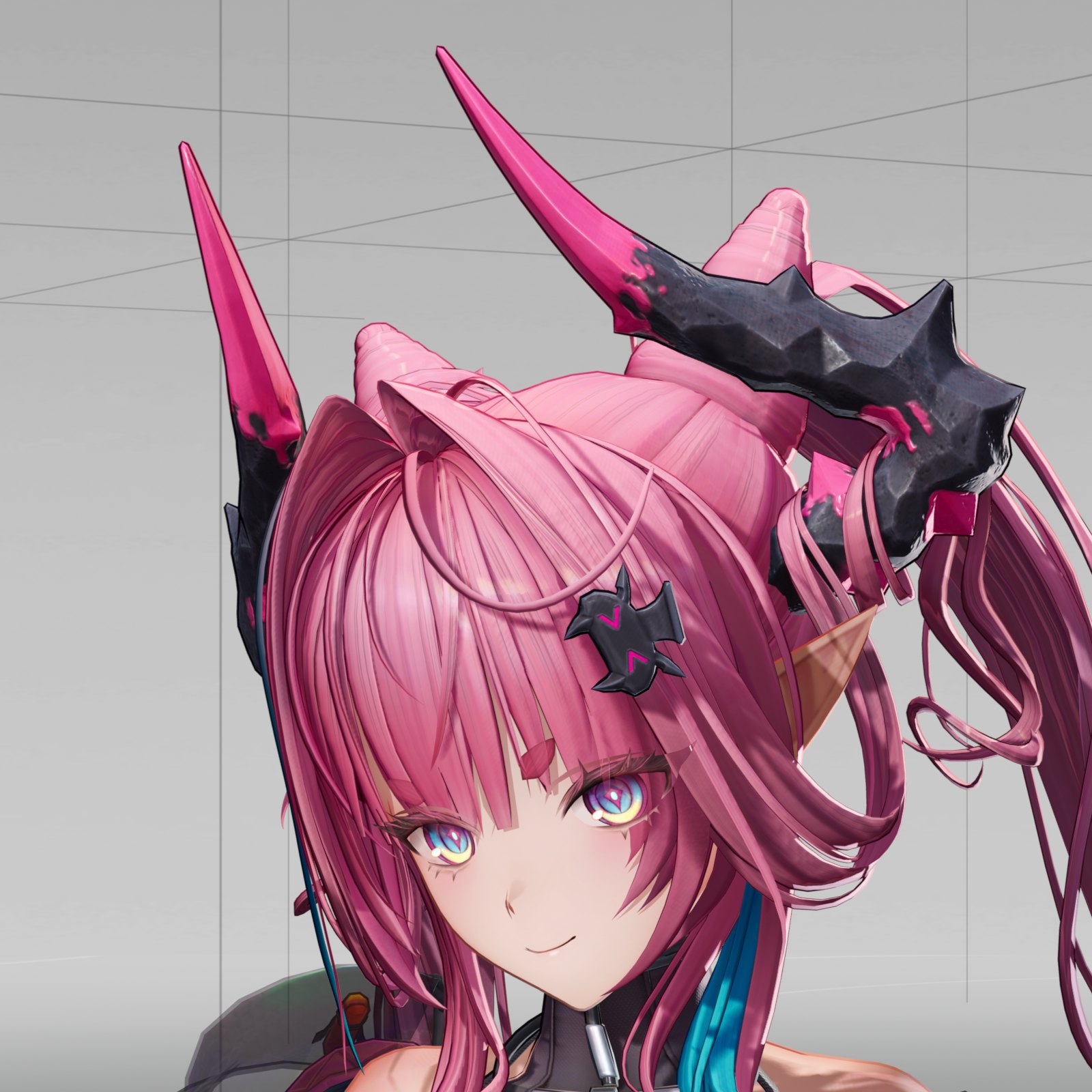
This is the part of the style everyone recognizes and the stock depth test can’t do. The bangs are in front of the eyes, and the eyes and brows have to show anyway.
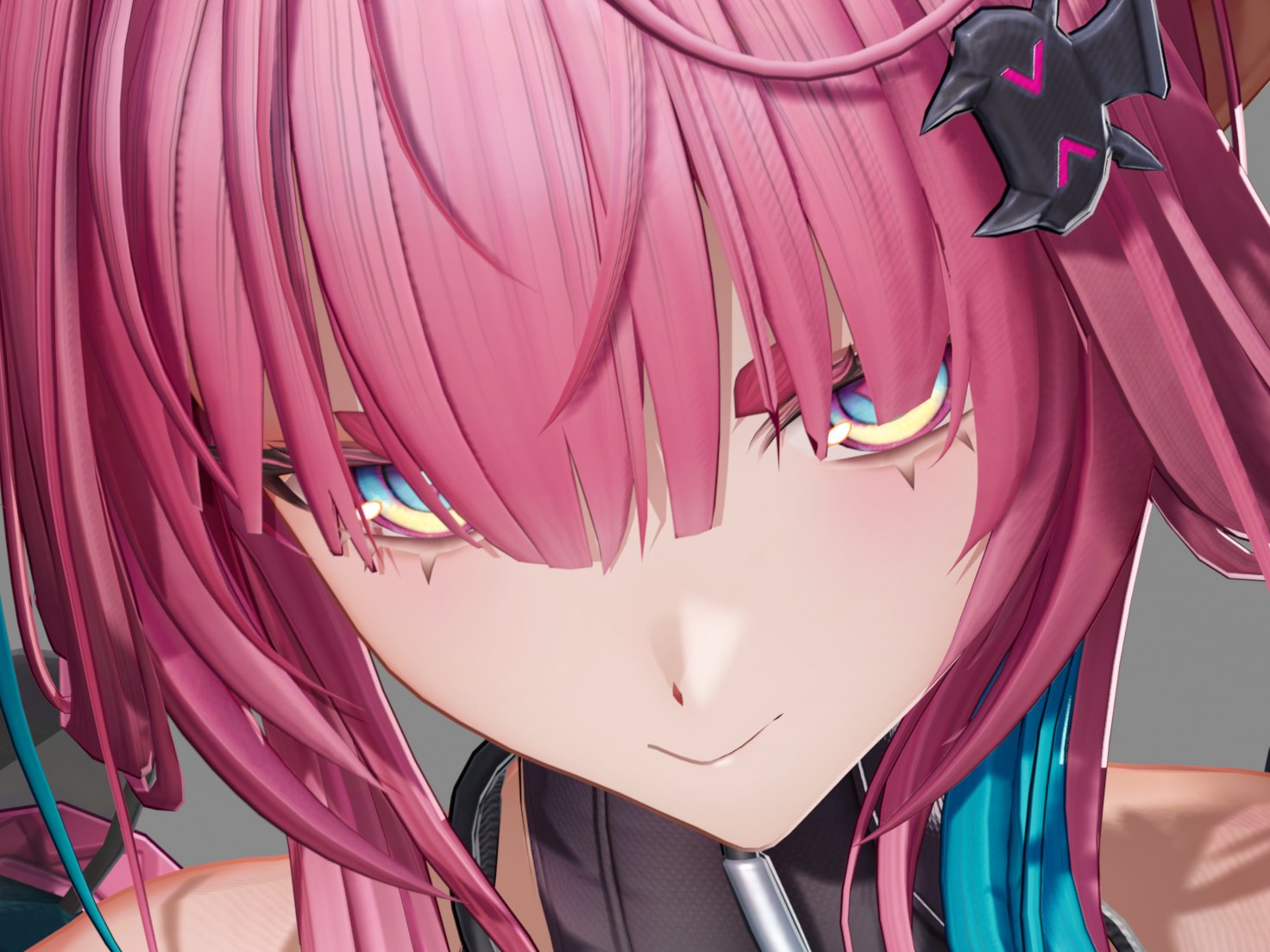
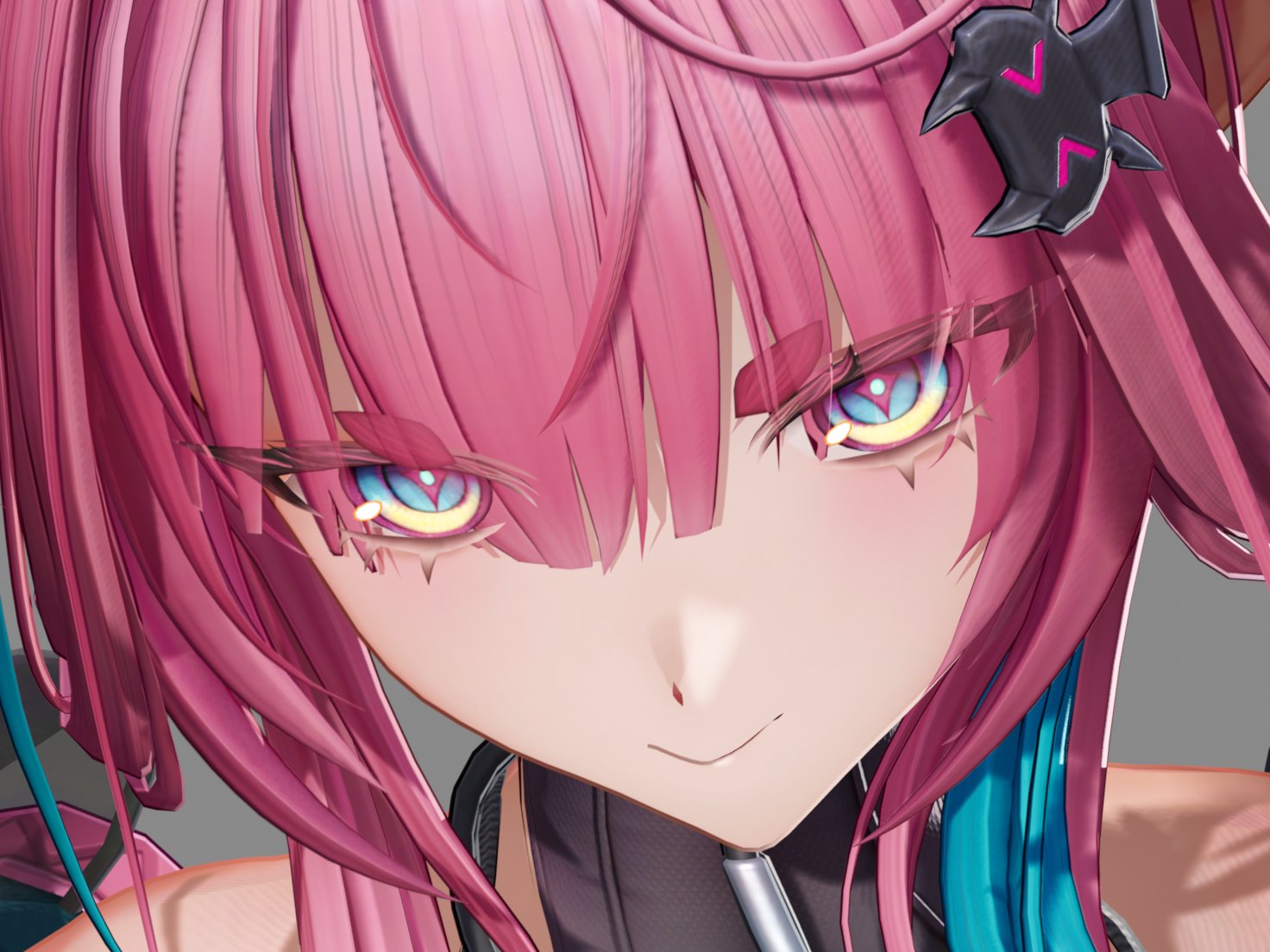
Unreal’s stencil tools for this are per primitive, through custom depth, and an eye is only a material slot on the head mesh. So I made stencil a material property. A material can write a Scene Stencil Value from 0 to 3 into stencil bits 5 and 6, and another material can test against it with a compare function and a reference value. On PC those bits alias the lighting channel bits, whose only readers are deferred, so forward shading gets them for free.
Order matters as much as the test. Any draw that tests stencil sorts after everything else through the top bit of the mesh sort key, and I had to make sure mobile’s re-sort kept that bit. The hair draws twice. The opaque pass leaves holes where the brows, lashes and irises are, and an alpha-blended copy fills only those holes, so the bangs thin out over the eyes instead of vanishing.
Three bugs came out of it, all in the order of who writes what.
- The depth prepass draws masked materials with a default material, which wrote stencil 0 everywhere. The prepass now uses the real material’s stencil value.
- The hair’s own outline hull wrote its value over the brows. The hull now tests Not Equal against the brow value.
- A band of outline color showed through the strands in close-ups. Masked early-Z (
r.EarlyZPassOnlyMaterialMasking) combined with zero-width hull depth ties to let the hull win. Real front-face culling on the hull fixed it, and in the view where the band showed, the hull pixels tying the hair’s depth went from 4,944 to 0.
I tried and dropped four other approaches: drawing the hull before the hair, two-sided hair, a second hair-only component, and alpha-to-coverage hair. At 4x MSAA alpha-to-coverage gives five opacity steps, and it looked terrible. After the stencil version went in, I went through every shot looking for an eye clipping through the hair and didn’t find one.
Clear coat and sheer cloth
Two materials in the style need more than one layer. A jacket with a lacquered finish gets a second gloss over the toon base, and a sheer sleeve shows the skin under it.
- Toon Clear Coat
- Sheer cloth
The clear coat is the fifth node, with its own Fresnel and specular on top of the toon cloth. The demo jacket runs it at 0.85 smoothness and 0.52 metallic.
For the sheer cloth I expected to write my own translucency and never needed to. Of the options I tried, a depth-prepass variant among them, stock translucency matched the look best. The engine change was only to allow translucent Toon Character materials on the PC and mobile forward paths. They need a Substrate coverage weight, since the opacity pin is ignored, and the Surface ForwardShading lighting mode, or the compile fails.
A cubemap per character
Characters in this style carry their own reflections. Clothing should reflect a soft studio environment picked for the character, and the level’s reflection captures only know the level. So the post process volume got a Character Cubemap slot.
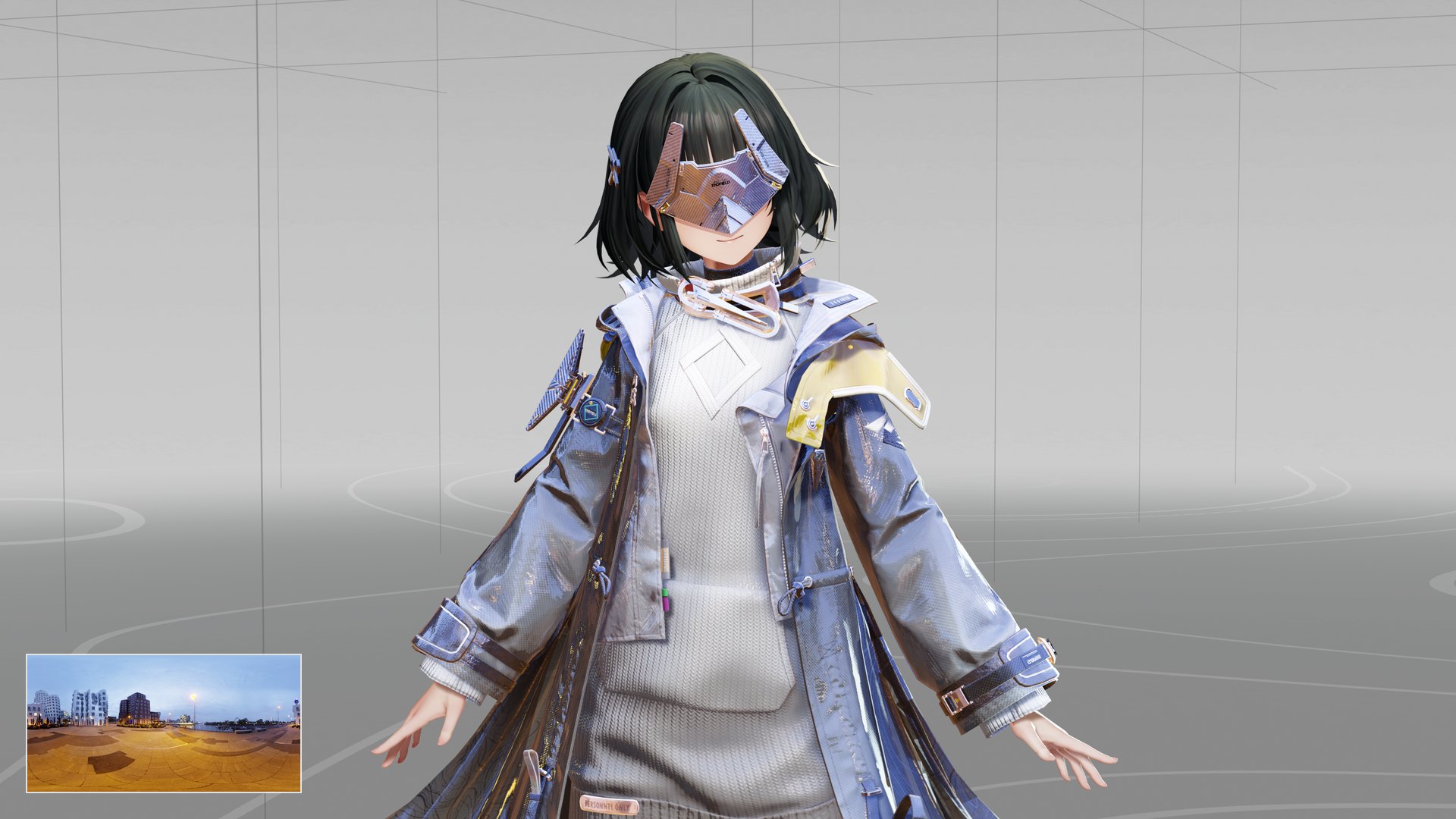
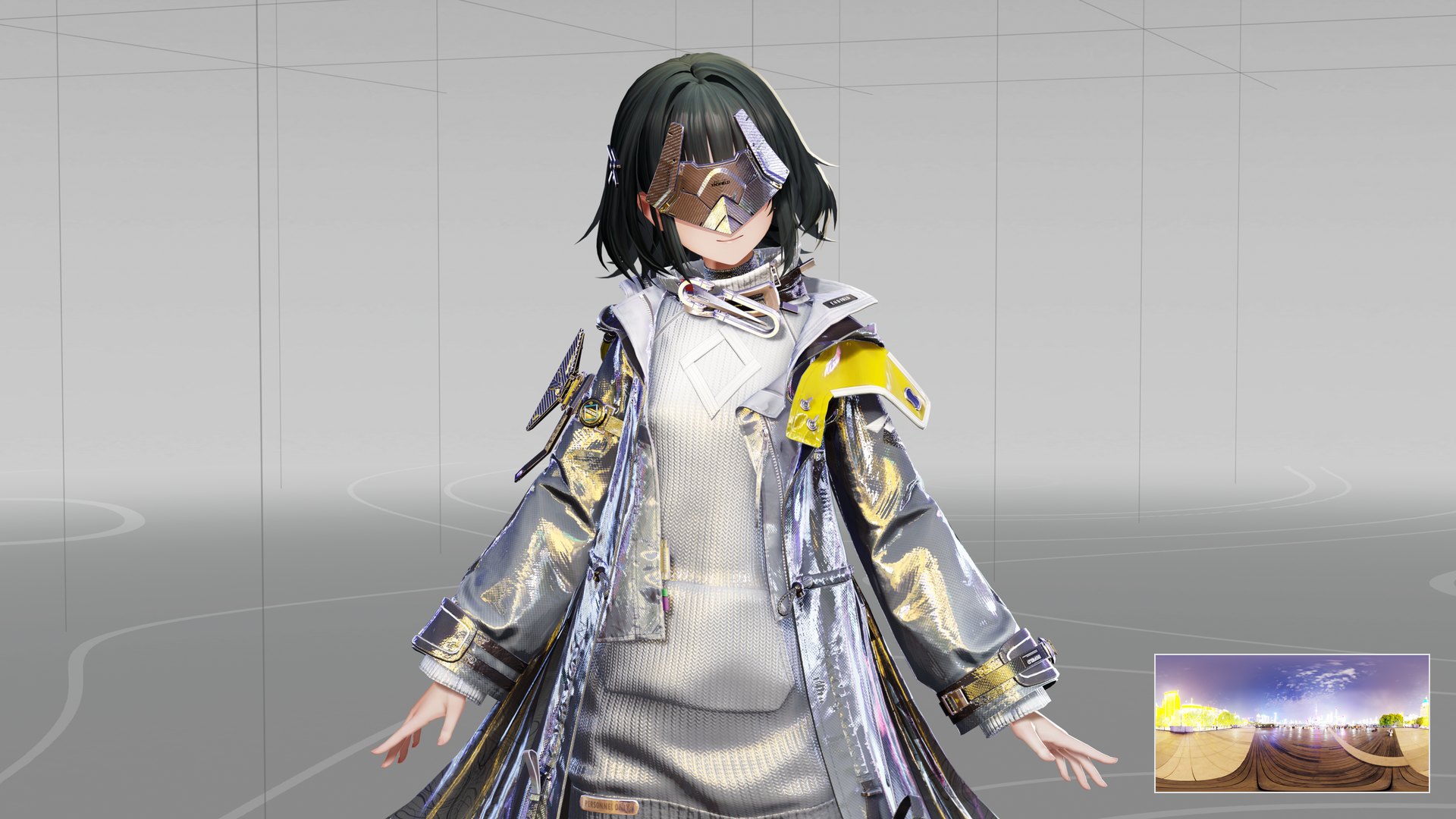
Only cloth samples it, and the outline hulls skip it. The specular uses a fitted environment BRDF (the split-sum approach from GGX image-based lighting) and picks the mip from roughness. Hair, skin and eyes reflect nothing, and the stock environment specular switches off for character materials whenever a cubemap is set. The strongest volume’s cubemap wins with no blending. I authored the cubes at 128 px with full mips and HDR compression. There’s no intensity control yet, which is why the demo plays brightened copies.
Outlines
The outlines are inverted hulls, one of the oldest tricks in toon rendering. Draw a copy of the mesh pushed out along its normals, cull its front faces, and colour what’s left. Unreal’s per-slot overlay materials draw the copies, so the hull reuses each section’s skinned vertex factory and skins nothing twice. It also casts no shadow.
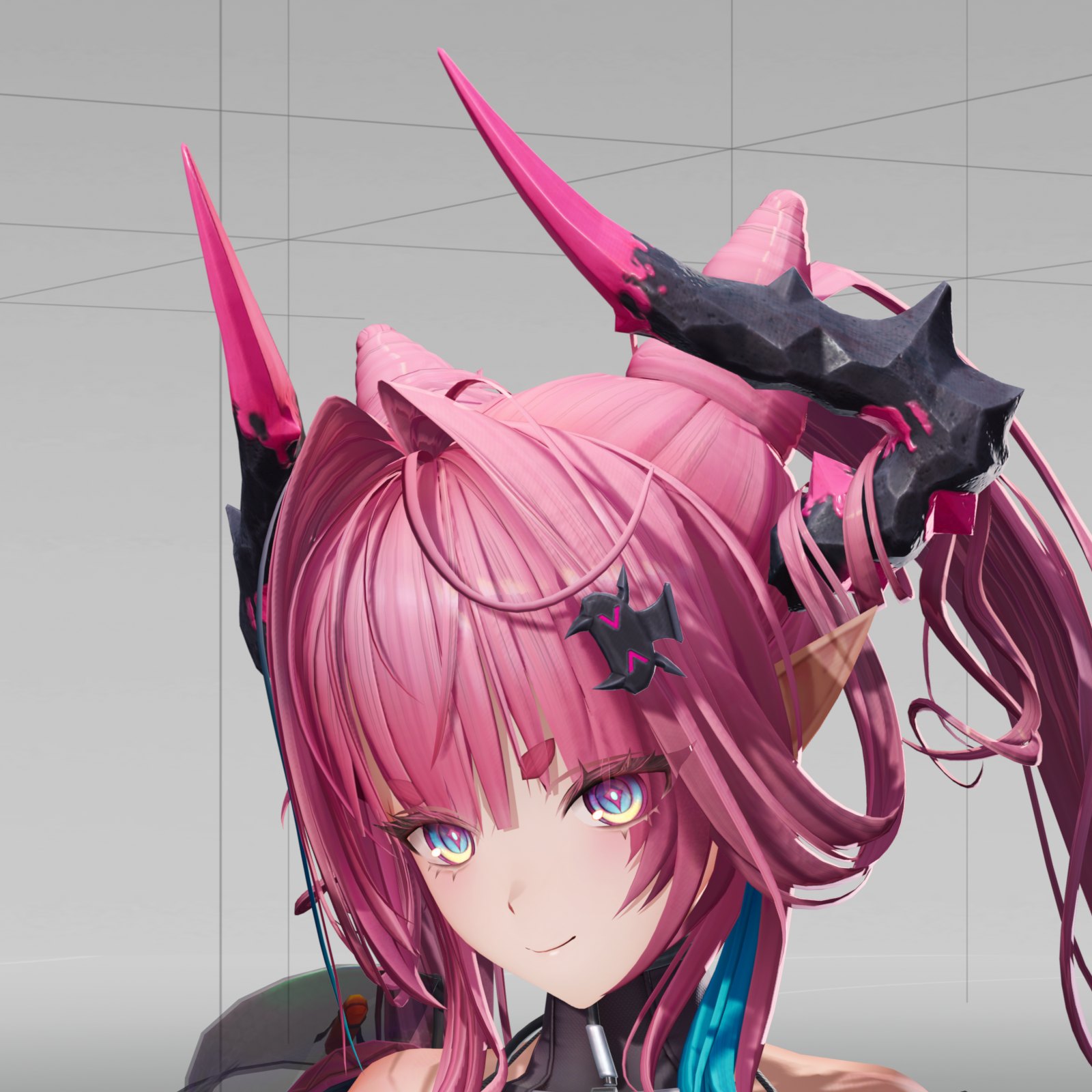
Two pieces were missing. Materials had no way to cull front faces, so I added a Cull Front Faces flag to UMaterial and reversed the mesh pass’s cull mode for it. The bigger gap was the normals. A hull pushed along split normals cracks at every hard edge, so it needs smooth normals that the mesh’s shading doesn’t use. My ToonOutline plugin bakes them. It welds vertices by position, averages angle-weighted face normals in double precision, and stores the result in tangent space in a pair of spare UV channels, along with a coherence value, the length of the weighted normal sum over the sum of weights. Where the faces around a vertex disagree, at a sharp corner, coherence drops and the line tapers instead of spiking.
Recomputing a mesh’s normals throws the authored ones away, and the bake then happily averages garbage. The baker now refuses meshes with recomputed normals.
The width is set in screen space, so lines keep their weight as the camera moves. VR broke the minimum width. The old floor only held to about 1.8 m in a Quest, and past that the line went under a pixel. Anything under a pixel wide crawls in a headset, so my floor is a whole number of pixels at every depth.
// A pixel is 2 / ViewSize in clip units, so the floor is MinPixels x 2 x InvSize x w.
const float2 MinOffset = ResolvedView.ViewSizeAndInvSize.zw * (2.0f * MinPixels * DepthM);
Offset.x = abs(Offset.x) < MinOffset.x ? MinOffset.x * sign(Offset.x) : Offset.x;
Offset.y = abs(Offset.y) < MinOffset.y ? MinOffset.y * sign(Offset.y) : Offset.y;
The colour fades out between 3 and 6 m. The hull material compiles to 606 vertex and 1,495 pixel shader instructions.
Shadows
The shadow on the floor is a material too. The shadow receiver surface works like a multiply-blended shadow plane folded into the floor’s own shading. The floor shows its colour as authored, darkens toward a shadow colour where the character’s shadow falls, and takes no other light, ambient or reflection.
Self-shadowing had the opposite problem. The ramp reads the smooth normal and stays lit slightly past the terminator, while the shadow map sees the real flat triangles, so the mesh shadowed itself in straight, facet-shaped bands. Deferred shading hides this with an N·L-scaled transition that forward shading compiles out. My fix fades the self-shadow in over the first quarter of N·L and lets the ramp alone shade the terminator.
// 0.25 is the N.L at which the self-shadow is back in full.
float SelfShadow = lerp(1.0f, RawSelfShadow, saturate(NoL * 4.0f));
That also fades real self-shadows below an N·L of 0.25, and in this style I haven’t missed them.
Forward shading shares four shadow-map channels between all the lights that cast, so two characters with shadowed rigs in one shot can overflow them. That’s why the demo’s lineup shows the characters one at a time. For contact shadows I compared two capsule AO variants on an RTX 5090 at 6.7 megapixels. The cheap one added 0.13 ms and the other added 0.45 to 0.47 ms. Both looked great, so I kept the cheap one.
Lights that know what they’re lighting
Point and spot lights in a level light everything with the same falloff. On a toon character that’s rarely what you want. A rim spot behind her should add a rim and nothing else, and the level’s fill lights shouldn’t touch her at all. So every local light got a toon type.
| Type | What it does on a character |
|---|---|
| Default | Wraps around her, unshadowed, and capped so it can’t blow her out |
| Ramped | Runs through her toon ramps like the key light, with the face SDF on her face |
| Specular Only | Adds a highlight on smooth surfaces and nothing else |
| Rim Only | Adds a rim along her silhouette on the light’s side |
| Fog Fade | Fades her toward the light’s colour like fog, up to four per pixel |
| Ignore Character | Skips her entirely |
The settings ride on the local light component and get packed into the forward light grid next to the stock light data, where the character path reads them per pixel.
That grid hid the best bug of the project. On the Android preview, square holes opened in a hair rim and moved when the camera tilted. They were light-grid cells. A character’s rig has about a dozen local lights, and Unreal’s Android config culls to 8 lights per cell, so cells near her dropped rim lights. Raising r.Forward.MaxCulledLightsPerCell to 32 in my Android config closed the holes, and going on to 64 moved no pixel by more than 21 levels.
Mobile and Quest
Quest runs Unreal’s mobile forward renderer, so every part of this path exists twice, once in Substrate’s PC forward lighting and once in its mobile forward lighting. I check the mobile side in the editor’s Android Vulkan preview, with the generic Android XR device profile, since the plain Android one turns dynamic shadows off. It’s not a headset, and I don’t present it as one, but it runs the mobile shaders and the mobile renderer.
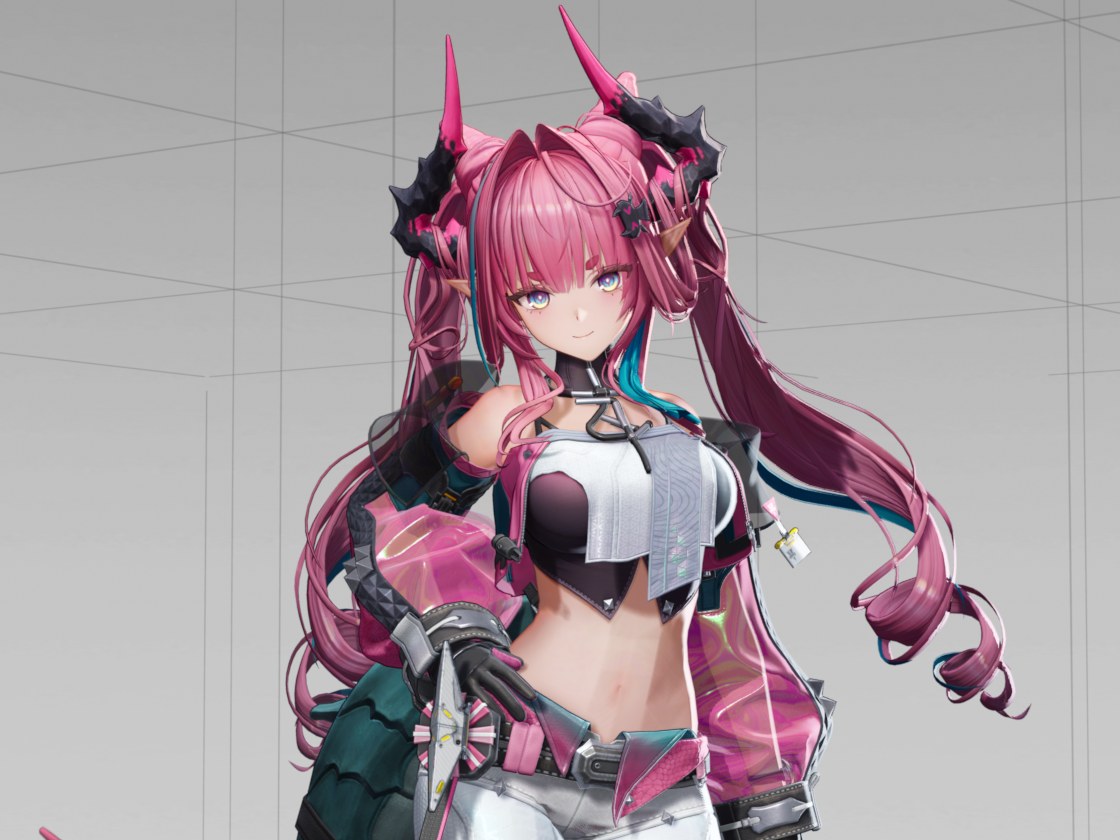
Getting there took three engine fixes outside the toon code.
- too bright, for every Inverse Exposure Blend light on mobile
- ~128x
- of PC shadow darkness on mobile, before
- 57-76%
- after the shadow fix
- 101-108%
The first was exposure. With Manual exposure, mobile runs no eye adaptation pass, so the light grid never applied its exposure scale, and every light using Inverse Exposure Blend came out about 128 times too bright. That’s 1/PreExposure at EV100 7, and it hit every such light in the project, well beyond the character rigs. After the fix, rig light contribution on mobile landed at 0.97 to 1.04 of PC across four views.
The second was shadows, which were visibly lighter on mobile. Desktop drops the slope bias when cascaded shadow caching is on, and it squares the PCF result. Mobile did neither. Matching both took mobile from 57 to 76% of the PC shadow darkness to 101 to 108%. A faint outer fringe is still 1 to 8% darker on mobile, and I haven’t isolated why yet.
The third was a crash. Switching the editor preview to ES3.1 crashed in the tonemap subpass resolve, which bound a null vertex shader. That one is a stock bug, and I’ve switched back and forth about fourteen times since without a crash.
Lighting channels needed a fix as well, since rig lights on channels 1 and 2 were also lighting meshes on channel 0. Quest’s shadow settings needed tuning too. At a 400 m shadow distance the cascade’s depth bias was about 20 cm, which is bigger than any detail on a person. I pulled the distance to 1,000 cm with two cascades. On Quest 3, the two settings that force a full depth prepass cost about 9 ms of a 13.5 ms GPU frame in a nearly empty map, so they’re off, and that’s why the rim reads custom depth.
VR
A camera that never stops turning breaks camera-relative shading. Camera Follow, the backlight wrap, the shadow-side fill, parts of the face shading and the highlights all keyed off the camera’s forward axis, so every glance moved them across her. Turning Camera Follow off in a headset stopped the swimming, which confirmed the cause. With r.ToonCharacter.ViewerRelative, and always for stereo eye views, those terms now use the direction from her bounds centre to the eye. It’s the same vector when you look straight at her, and it only moves when your head moves.
Aliasing is the other VR enemy, and toon bands alias by design, since a ramp step is a hard edge. With TOON_CHARACTER_ANTIALIASED_EDGES on, the ramps are box-filtered over each pixel’s footprint, specular gets the Tokuyoshi-Kaplanyan filter as Google’s Filament implements it, the strand lobes widen as shown above, and the depth rim blends four taps. John Carmack’s 2016 post on VR aliasing drove all of it. The view in a headset never stops moving, so anything finer than the pixel grid crawls. I haven’t profiled that mode on its own yet.
Budgets
| Budget | Measured |
|---|---|
| Draws per view, lighter character | 52 on PC, 32 on the Android preview |
| Draws per view, heavier character | 87 on PC, 43 on the Android preview |
| Texture lookups, cloth / face / hair master | 4 / 6 / 7 |
Every outlined section costs extra draws per pass, so those numbers are mostly a count of material sections. Merging sections is the obvious next cut, and I’ve planned it but not run it. On packaged PC builds, ray tracing being enabled forced a separate velocity pass, and turning it off for Windows took the frame from 119 draws to 116.
What’s next
I still want a matcap mode for cloth, rain and snow on characters, a bloom and vignette chain tuned for the style, ambient presets, and premultiplied alpha for the eyes. Here’s where it stands now, in a fogged stage with one backlight and nothing else.